Variation Gallery for WooCommerce
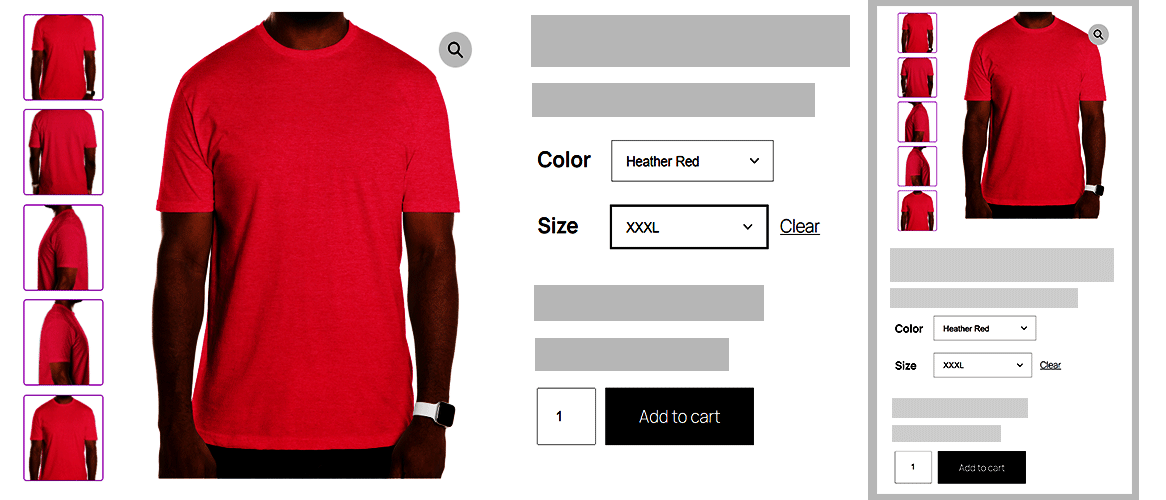
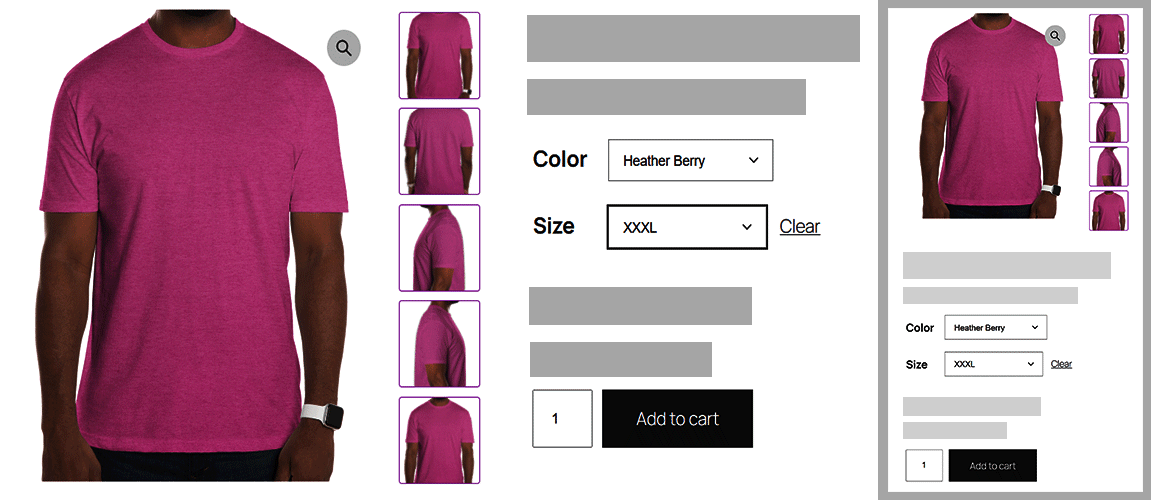
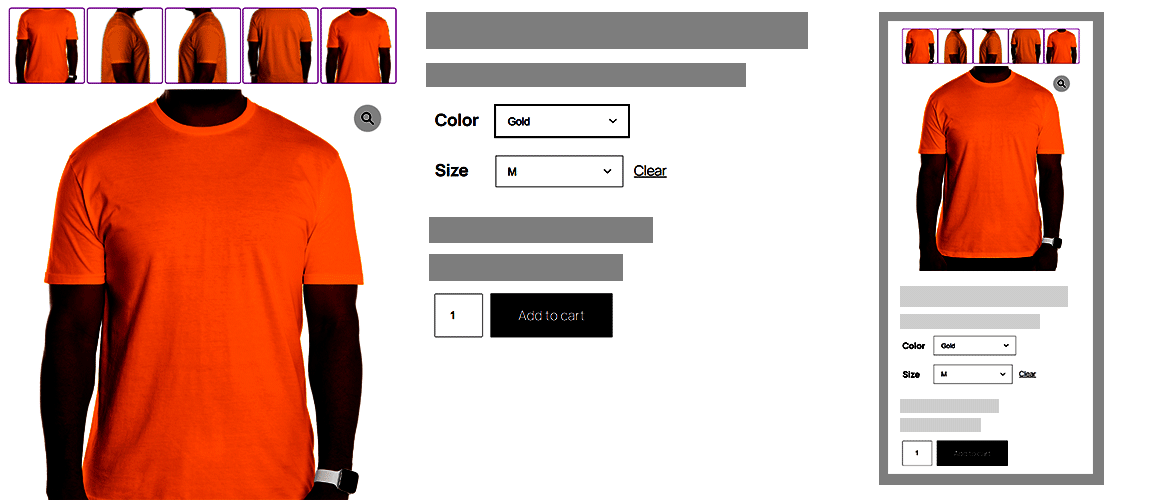
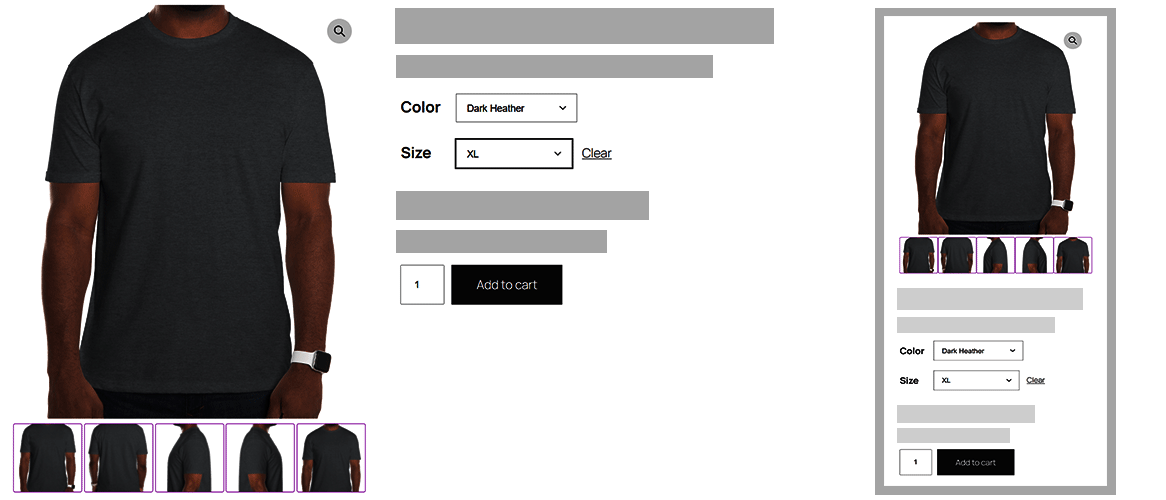
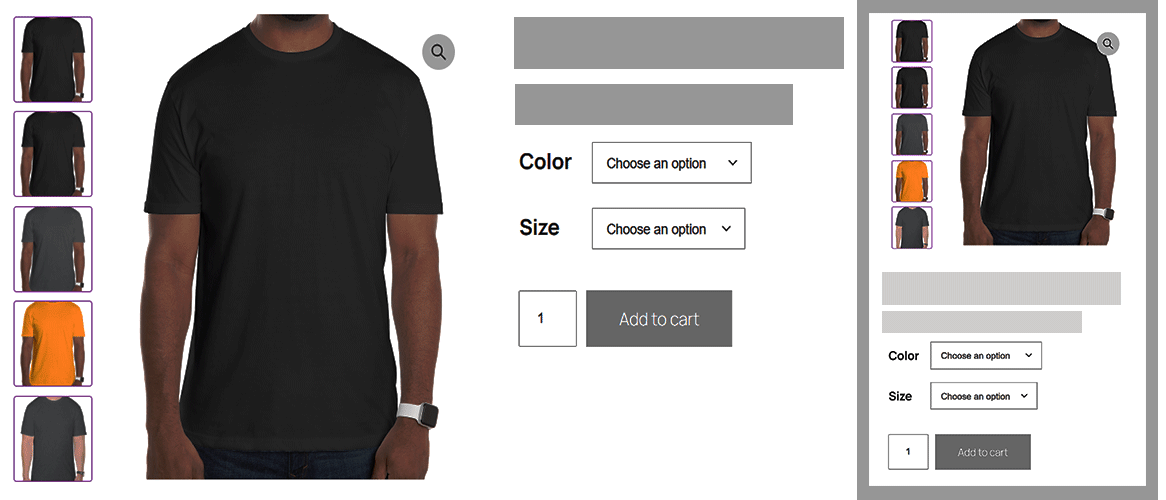
Variation Gallery for WooCommerce allows you to customize where variation thumbnail galleries appear relative to the product gallery. By default, WooCommerce allows multiple images for each variation, which has no limits on how much visual information can be shown.
Core Features & Highlights
-
Image slider: Uses Slick Slider for smooth, responsive navigation of the main product gallery image.
-
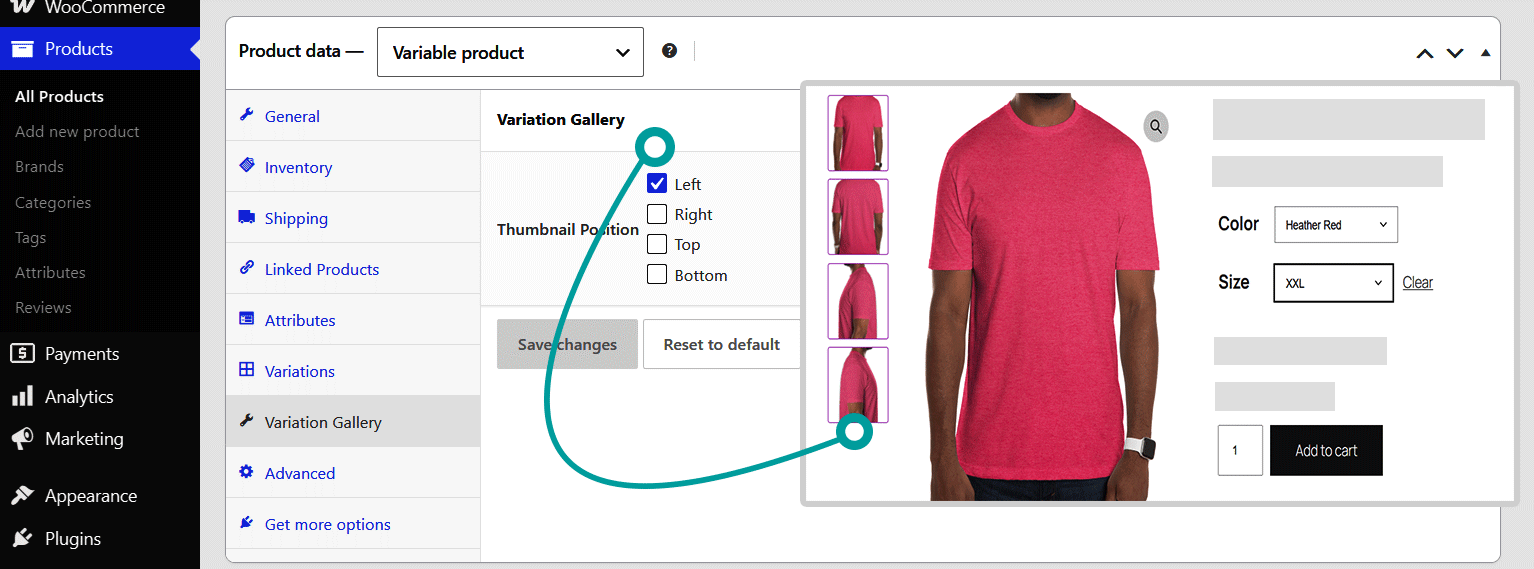
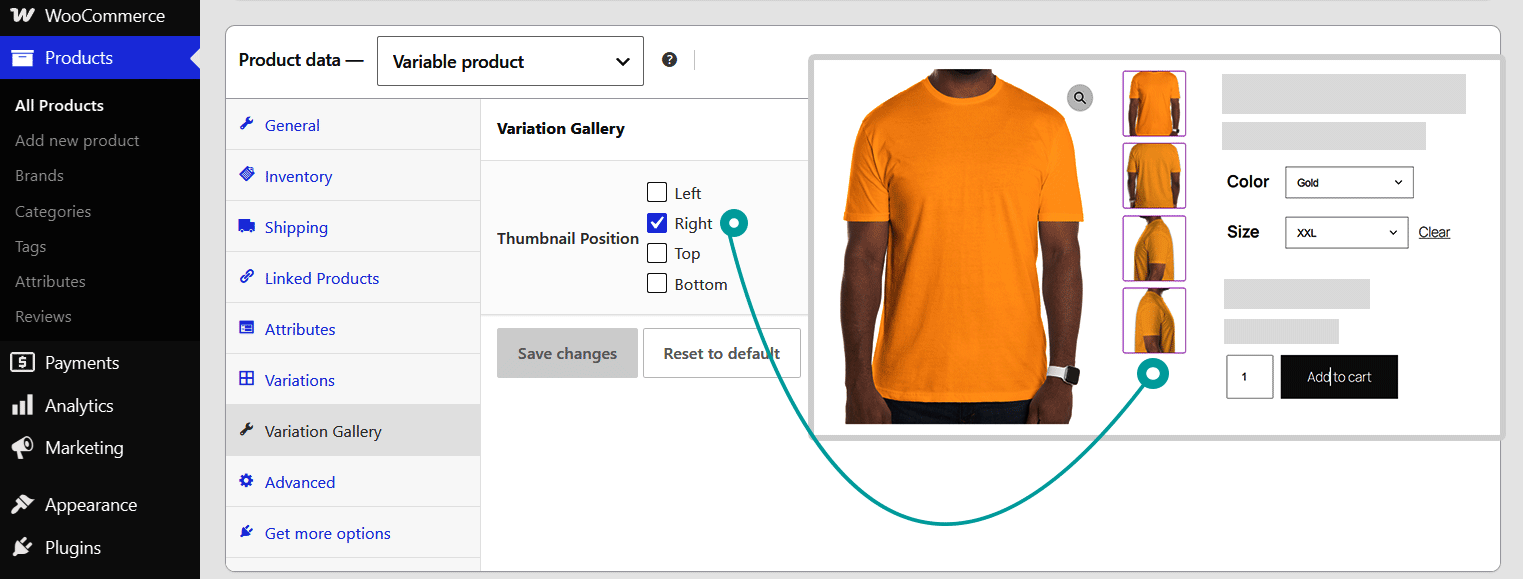
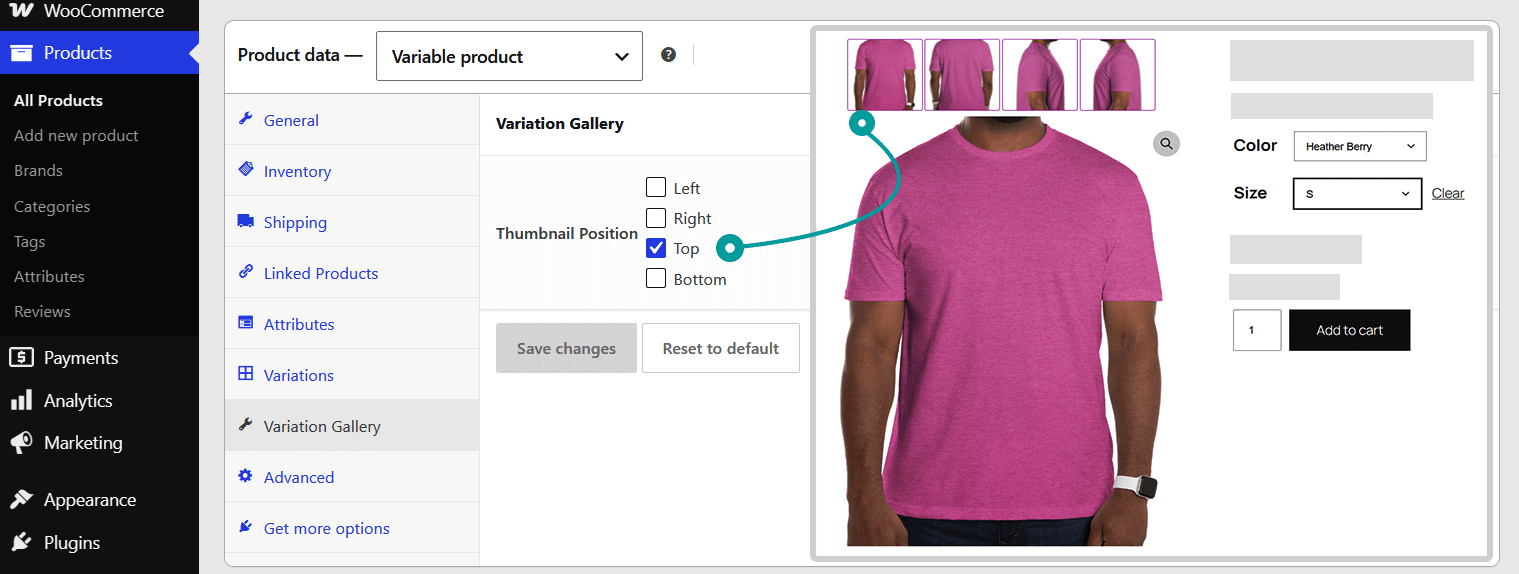
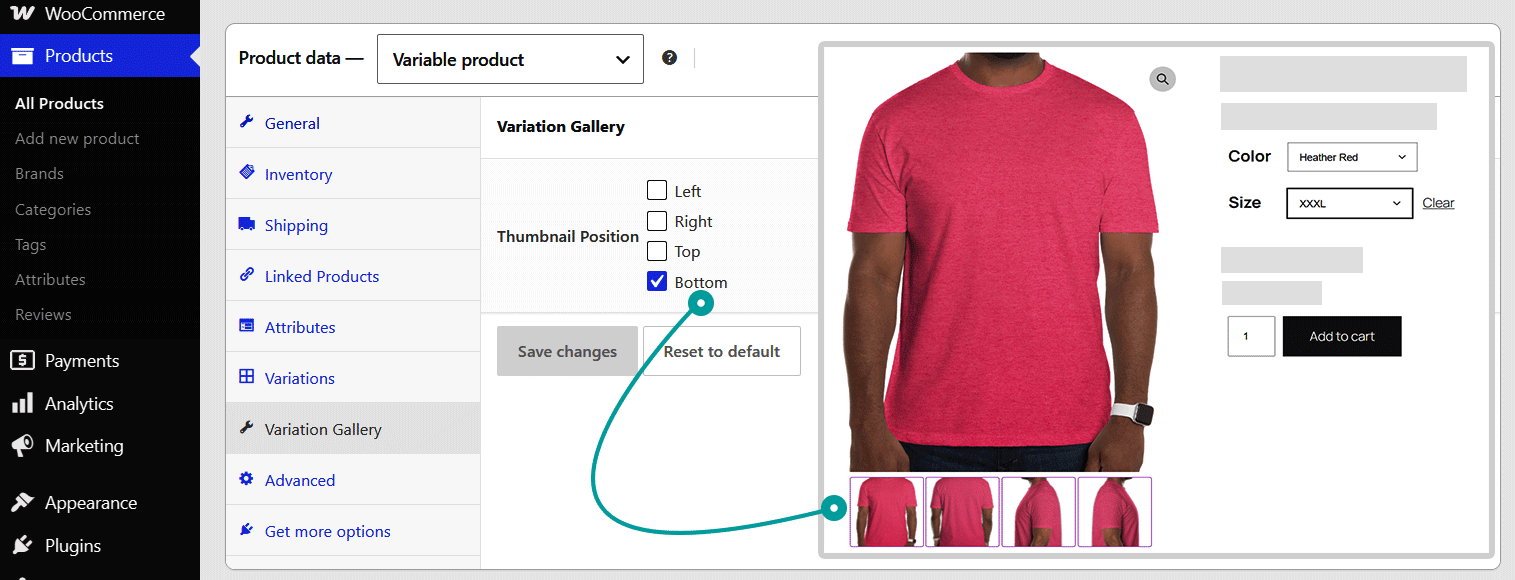
Thumbnail position (Left/ Right/ Top/ Bottom): Offers flexible positioning for product gallery thumbnails with options to align them on the left, right, top, or bottom.
-
Thumbnail slider: Uses Slick Slider for smooth, responsive navigation of the main product thumbnail image.
-
Zoom option: Enables a zoom feature on main product images, allowing detailed viewing across all color and style variations.
-
Light box: Enables a lightbox popup for viewing product variation and main gallery images in a full-screen, high-resolution display.
- Global & Product-Level Controls: Configure settings globally via WordPress Admin → Variation Gallery or customize them per product under the product editor tab.
How to Work Settings with Gallery.
- Thumbnail Position Left (Pro): Displays gallery thumbnails stacked vertically on the left side.
- Thumbnail Position Right (Pro): Displays gallery thumbnails stacked vertically on the right side.
- Thumbnail Position Top: Displays gallery thumbnails above the main product image.
- Thumbnail Position Bottom: Displays gallery thumbnails below the main image (Default).
Need Any Help?
- For any bug, support or suggestion please submit your ticket here.
Only logged in customers who have purchased this product may leave a review.
-
7 Downloads
-
100+ Active Install
- Version 1.0.4
- Last Updated 1 month ago
- Requires WordPress Version 6.4+
- Requires WooCommerce Version 8.0+
- Requires PHP Version 7.4+
Reviews
There are no reviews yet.