Product Designer for WooCommerce
TaskP Product Designer crafted a beautiful WooCommerce Variable Product Designer plugin that completely reimagines the user experience. Experience a revolutionary way to design products with the WooCommerce Variable Product Designer, an impressive tool from TaskPlugins
Key Features of WooCommerce Variable Product Designer.
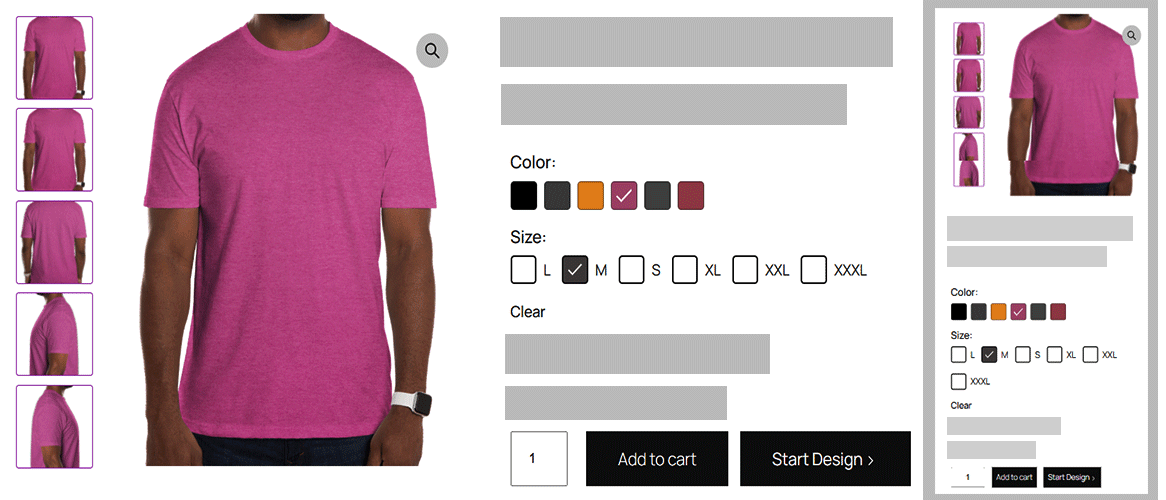
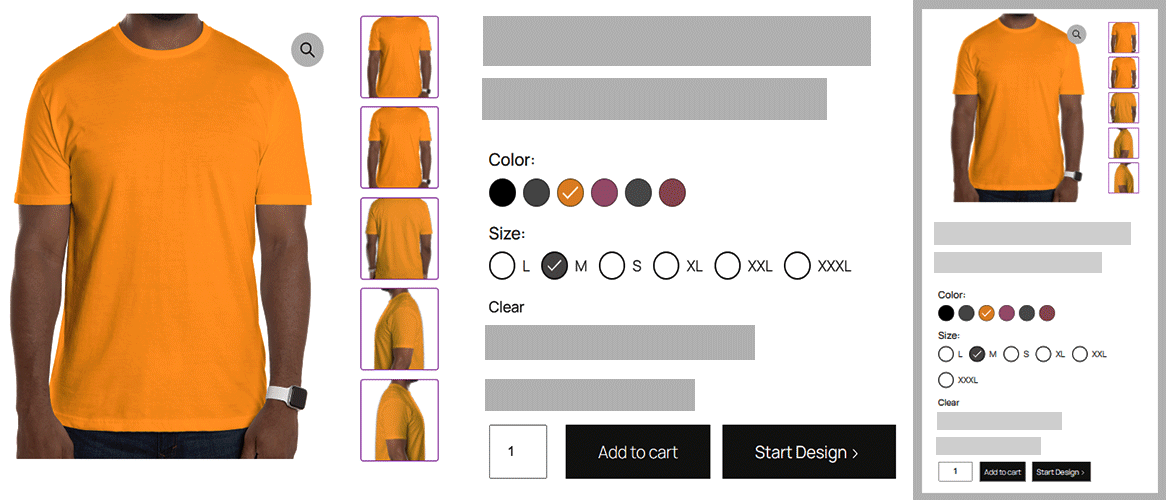
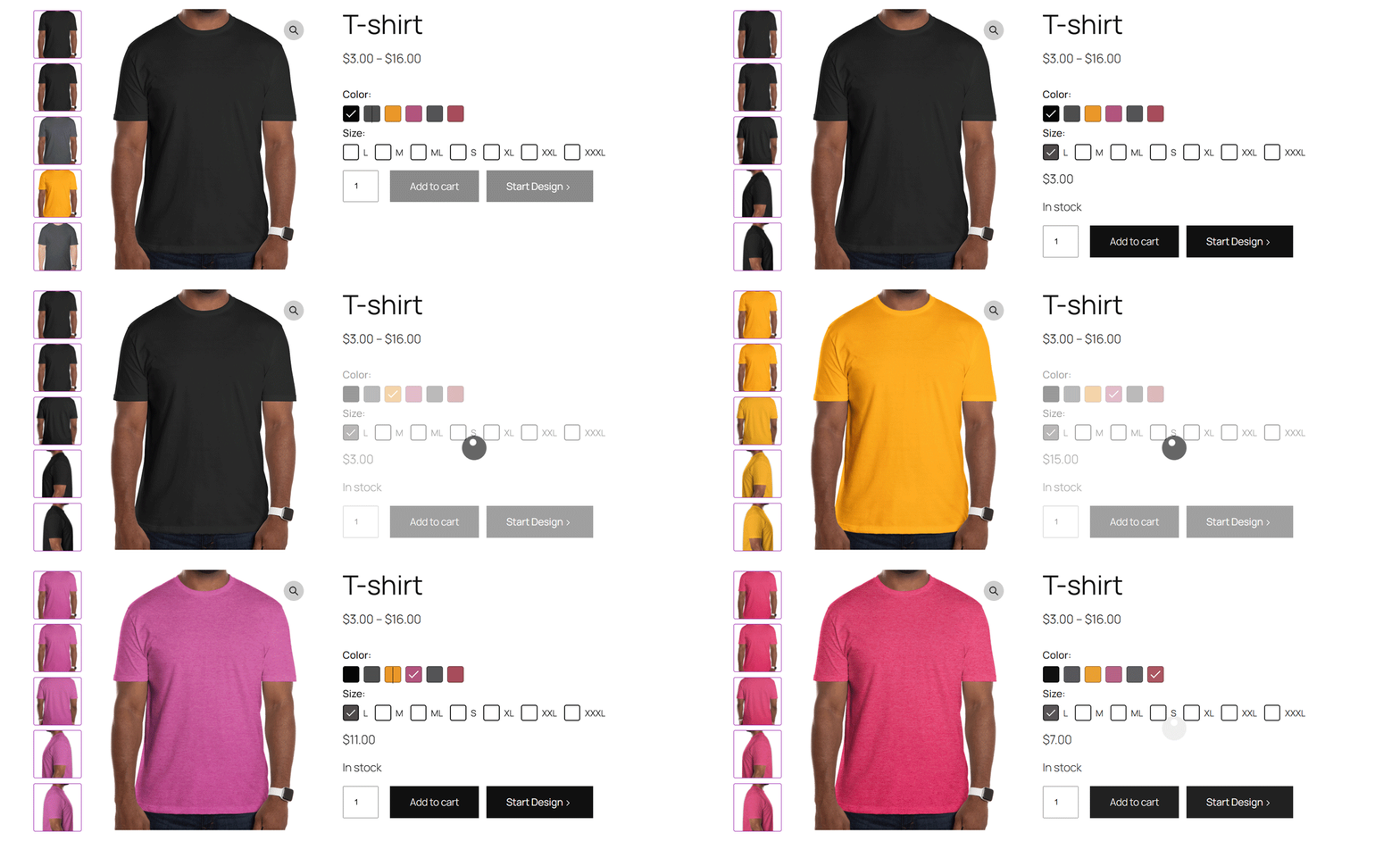
Upgrade your store with the WooCommerce Variable Product Designer. This lightweight plugin replaces boring dropdowns with vibrant color, radio, and checkbox swatches while offering flexible gallery layouts for a premium look. The plugin delivers a beautiful design toolkit for your products, featuring custom text, icons, images, and high-quality swatches.
The plugin boosts engagement by making variation selection instant. No dropdowns, no extra clicks—just a fast, visual way for customers to pick exactly what they want.
Enable checkbox swatch conversion in product designer settings to replace default dropdowns and turn on gallery thumbnails style.
Activating the global configuration will override any specific styling chosen within the product variation designer settings. The vertical layout of the gallery thumbnails on the left side ensures that the main image remains the primary focus of the user.
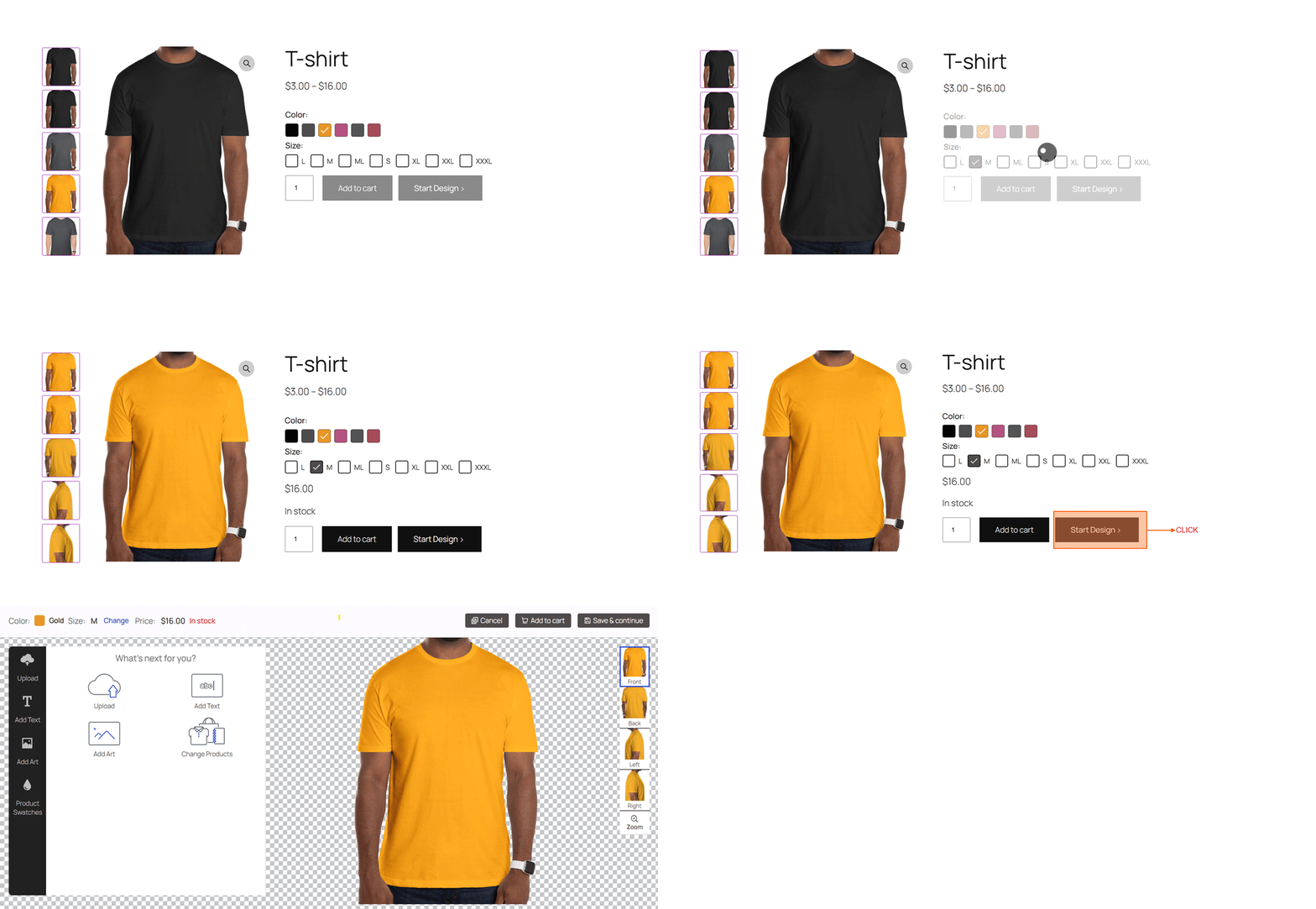
How to start customizing the Product Designer design for WooCommerce
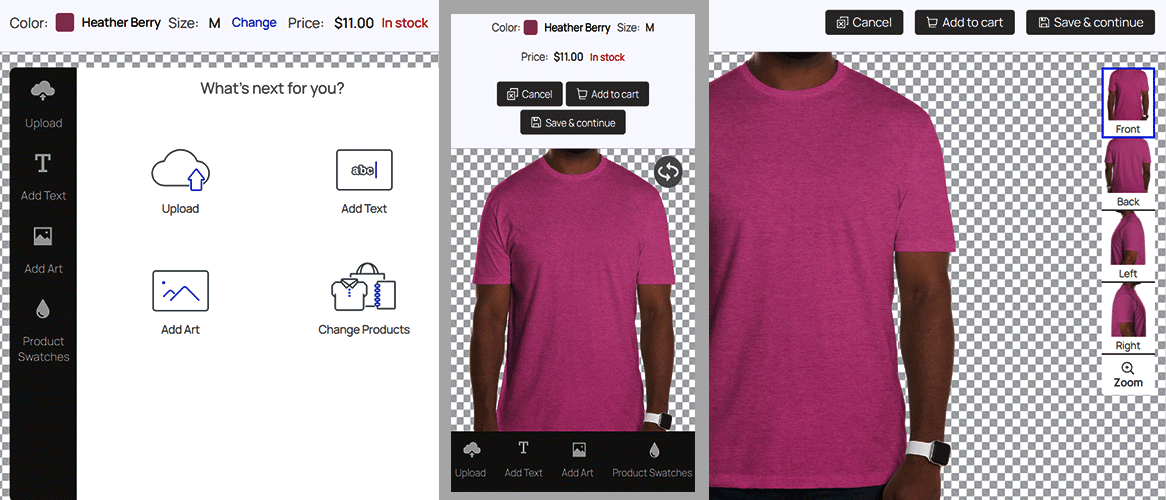
Begin by selecting your desired color, size, and any other available options. Once a valid combination of variations is chosen, the ‘Start’ button will become active. Click this button to launch the product designer editor, where you can customize the item to your exact requirements.
These are the key points for the product designer editor.
- Upload your custom image to personalize this product design.
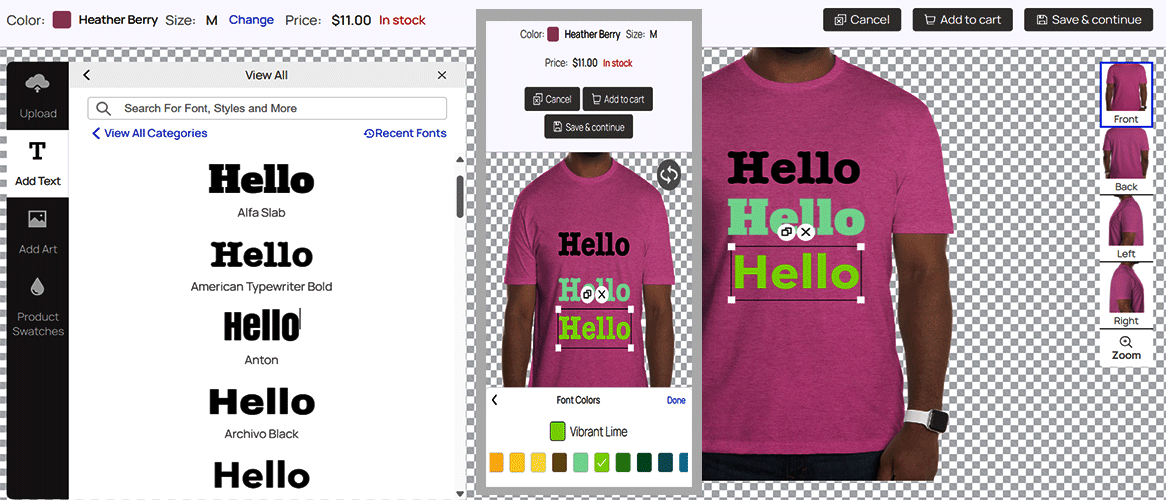
- Type your custom text here and see an instant preview of your designs.
- Add your custom font to instantly feature it on your product designs.
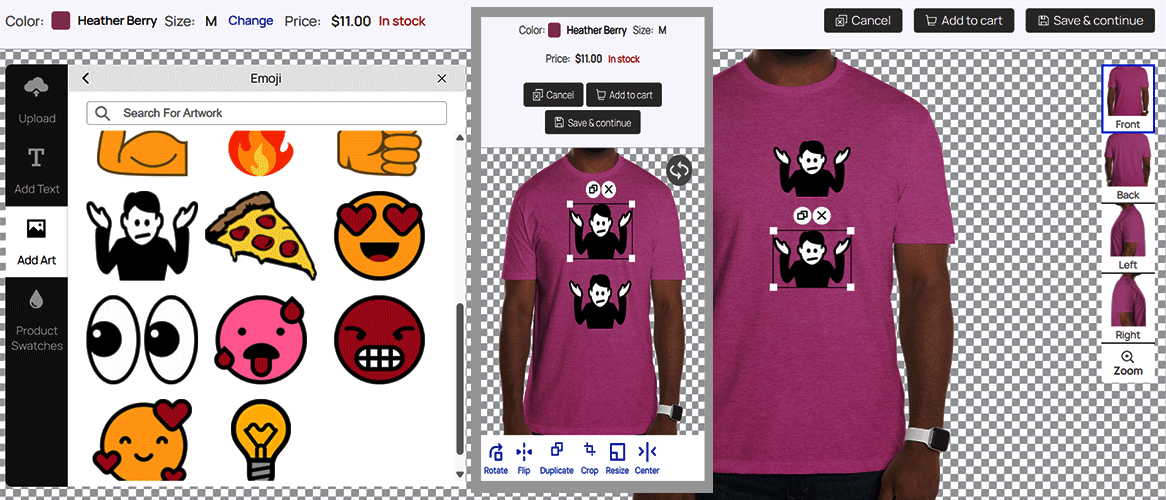
- Add your own artwork to feature it directly on your product designs.
- Change variation product on product designer editor.
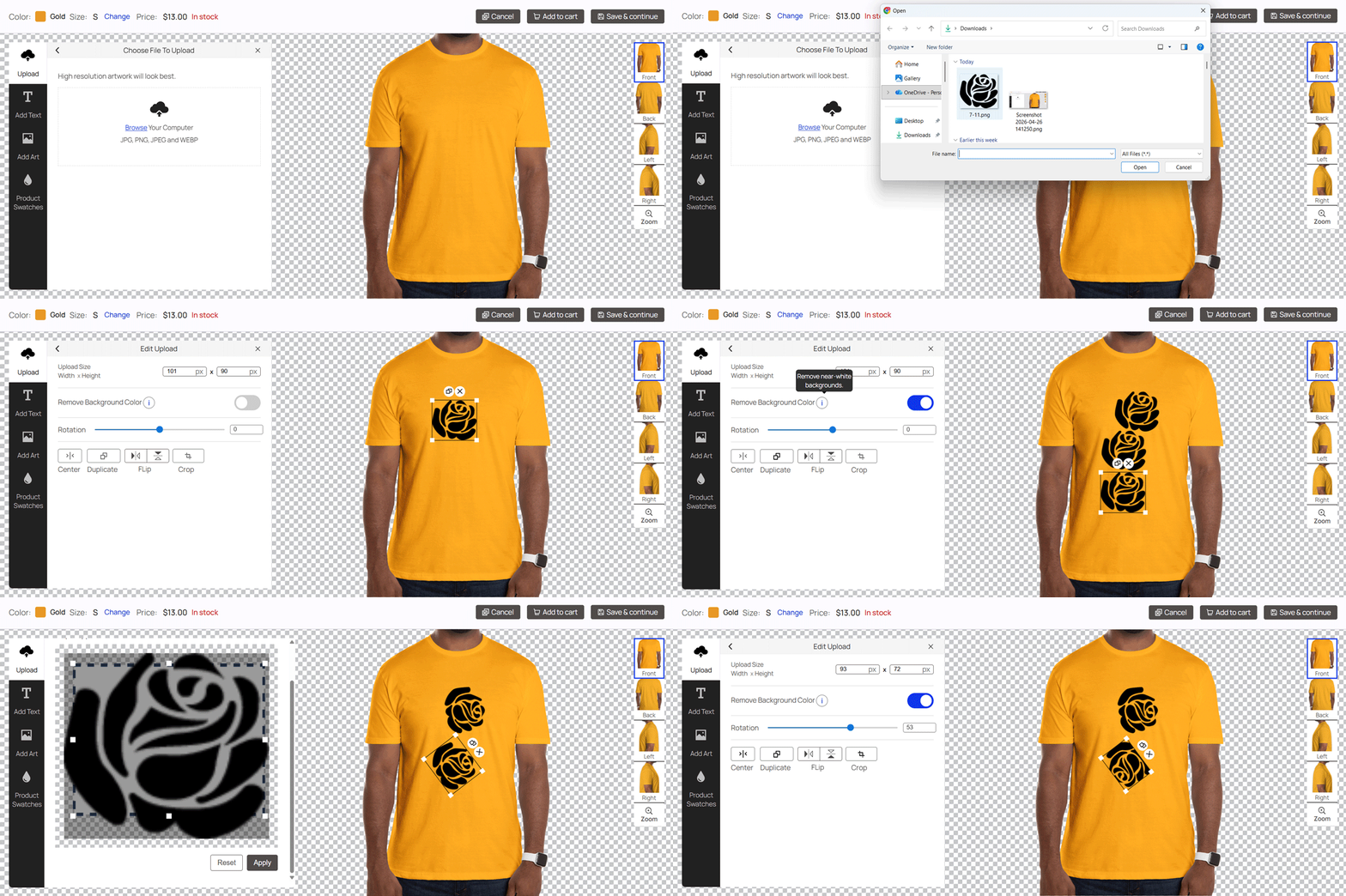
Upload your custom image to use in the product designer.
Use the Upload feature to personalize your product design with custom photos, logos, or designs. These are the key points for the custom upload.
- High-Quality Uploads: For the best results, upload high-resolution images (PNG or JPG or JPEG or WEBP ) to ensure crisp printing.
- Easy Customization: Once uploaded, you can easily resize, rotate, and position your image within the design tool.
- Transparent Backgrounds: Upload PNG files with transparent backgrounds for a seamless look on any product color. Currently, the background removal tool is only functional when the background is solid white.
- Instant Preview: See exactly how your custom image will look on the final product with our live preview product image.
- Design Flexibility: Upload multiple images to create a custom collage or mix your design with our pre-made assets.
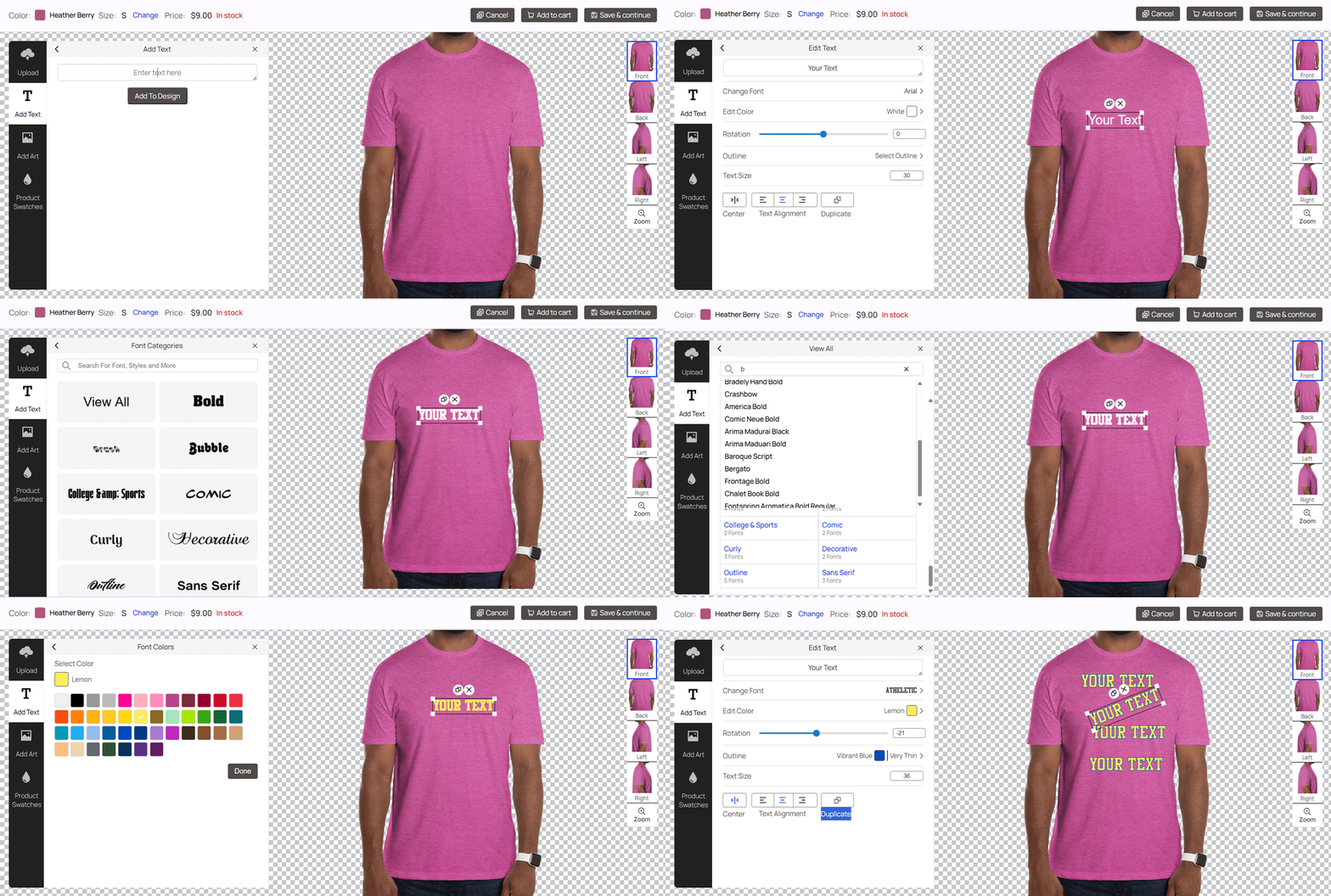
Add your custom text for use in the product designer.
Use our custom text feature to personalize your product design. Here are the key points for your text:
- Change Font: Easily modify the typeface of your personalized text to fit your design requirements.
- Edit Color: Customize text color by editor color.
- Text Rotation: A tool to flip text vertically, turning horizontal lines into vertical columns.
- Outline: You can instantly set the text outline by using tools.
- Text Size: You can instantly change the text size by using tools.
- Alignment: Use a tool to set text alignment by tools to ensure set position of text within a design.
- Duplicate: Use a tool to make more copies of the same text.
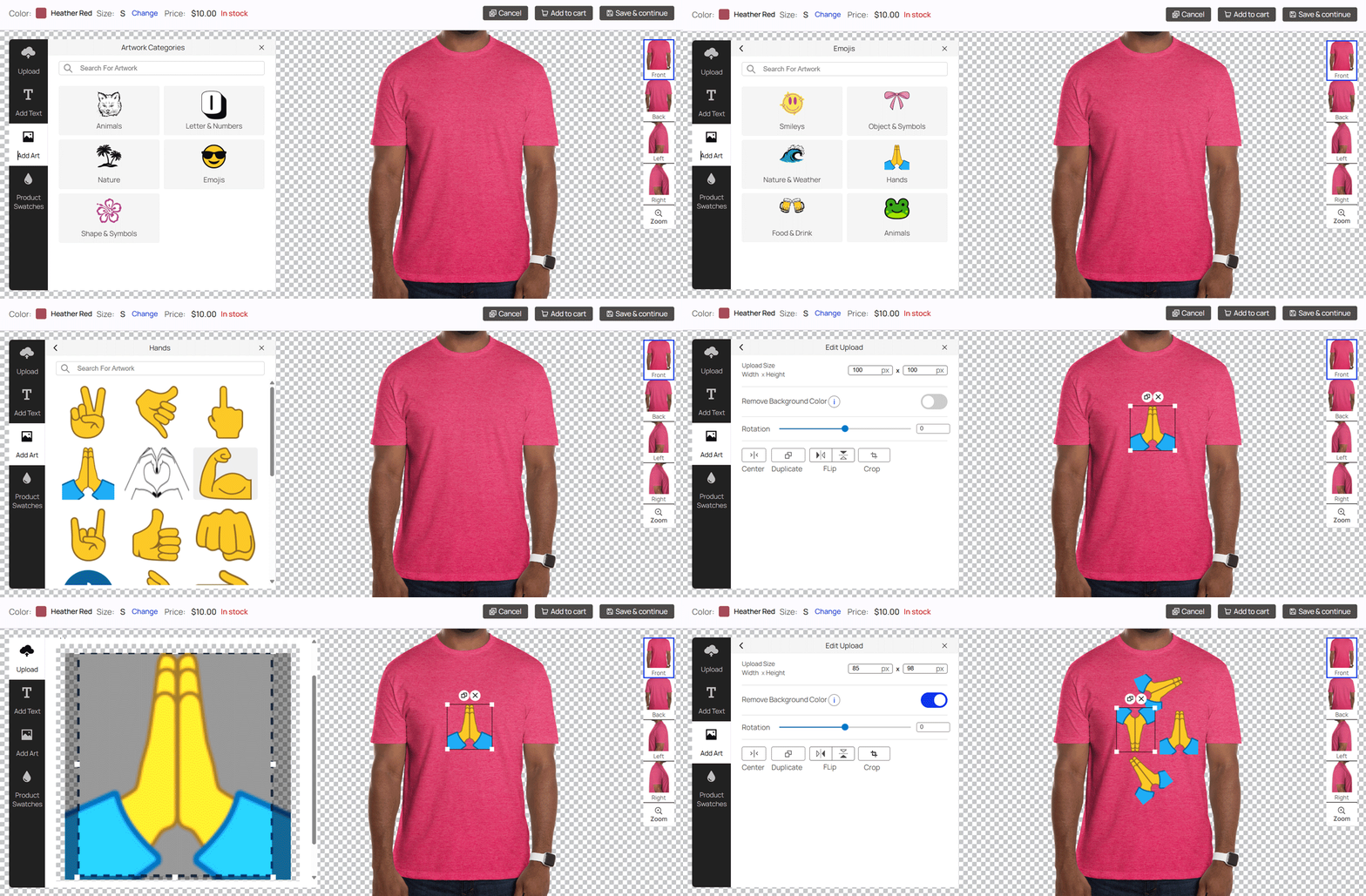
Add your art work for use in the product designer.
Use our art work feature to personalize your product design. Here are the key points for your text:
- Use Art Work: For the best results, art work high-resolution images (PNG or JPG or JPEG ) to ensure crisp printing.
- Easy Customization: Once add art work, you can easily resize, rotate, and position your image within the design tool.
- Transparent Backgrounds: Art work PNG files with transparent backgrounds for a seamless look on any product color. Currently, the background removal tool is only functional when the background is solid white.
- Instant Preview: See exactly how your art work will look on the final product with our live preview product image.
- Design Flexibility: Art work multiple times to create a custom collage or mix your design with our pre-made assets.
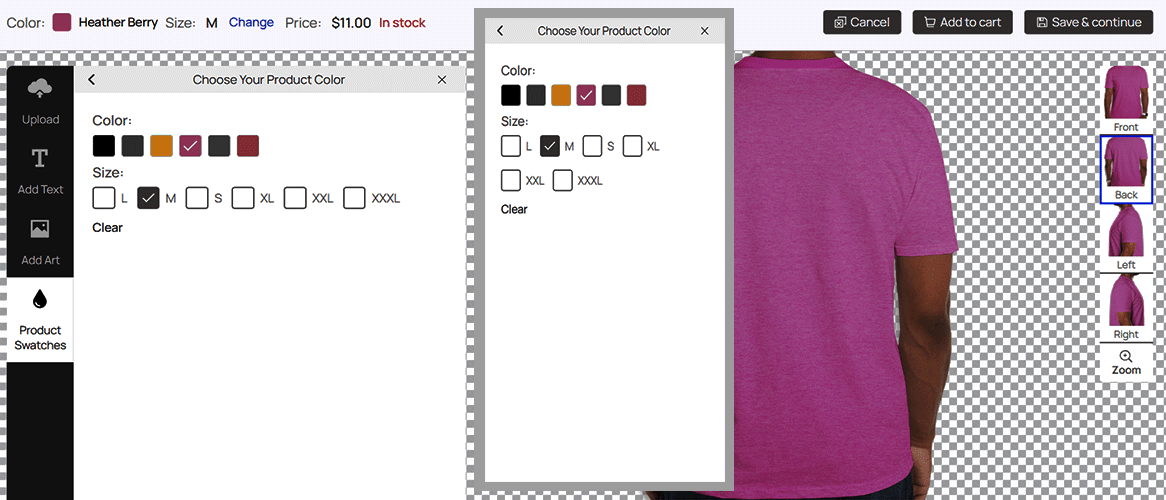
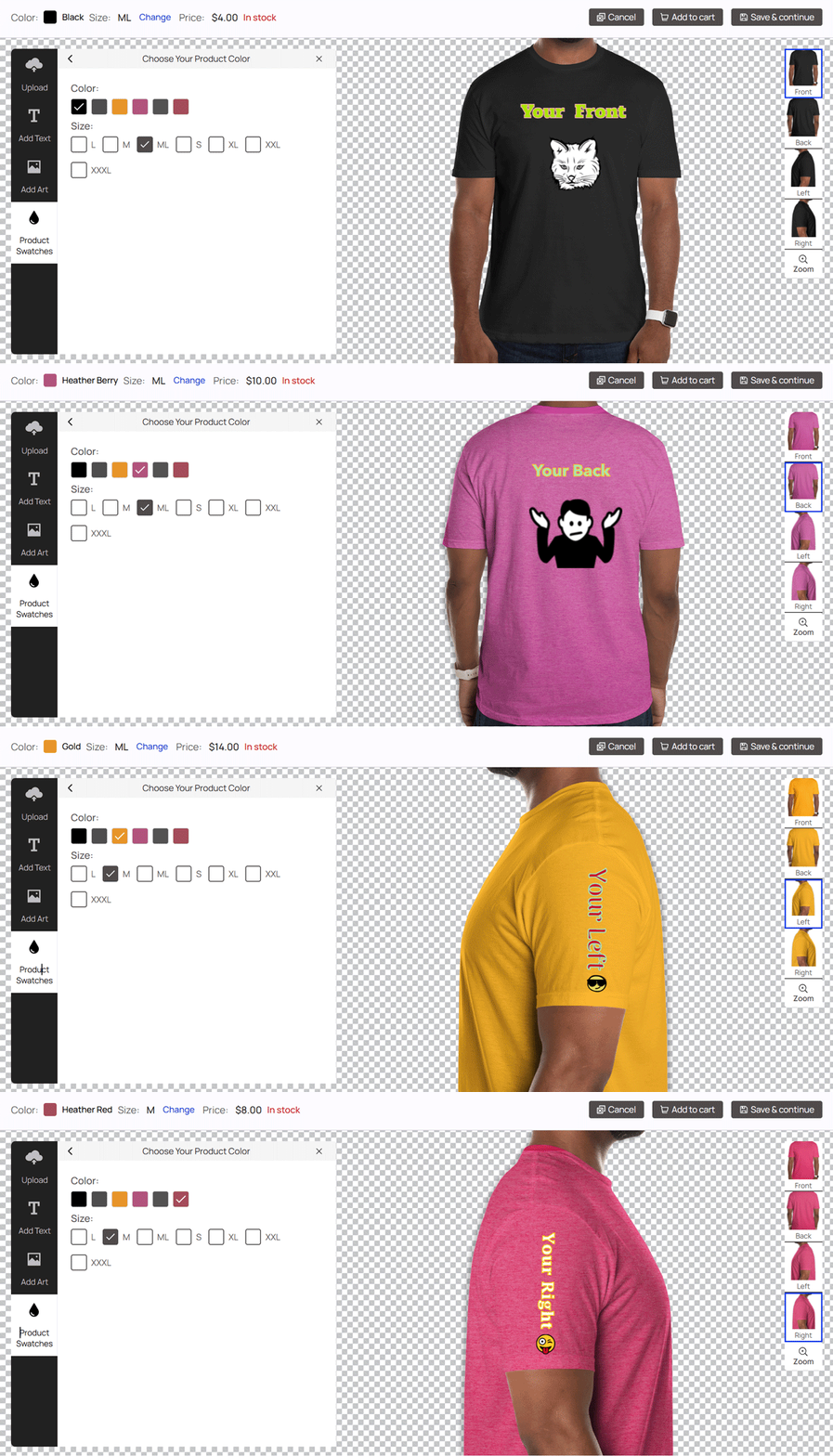
Easily change your design by using product designer swatches.
Product swatches allow customers to seamlessly toggle between different variations. Within the product designer, switching options is intuitive, making it effortless to visualize the perfect design before purchasing.
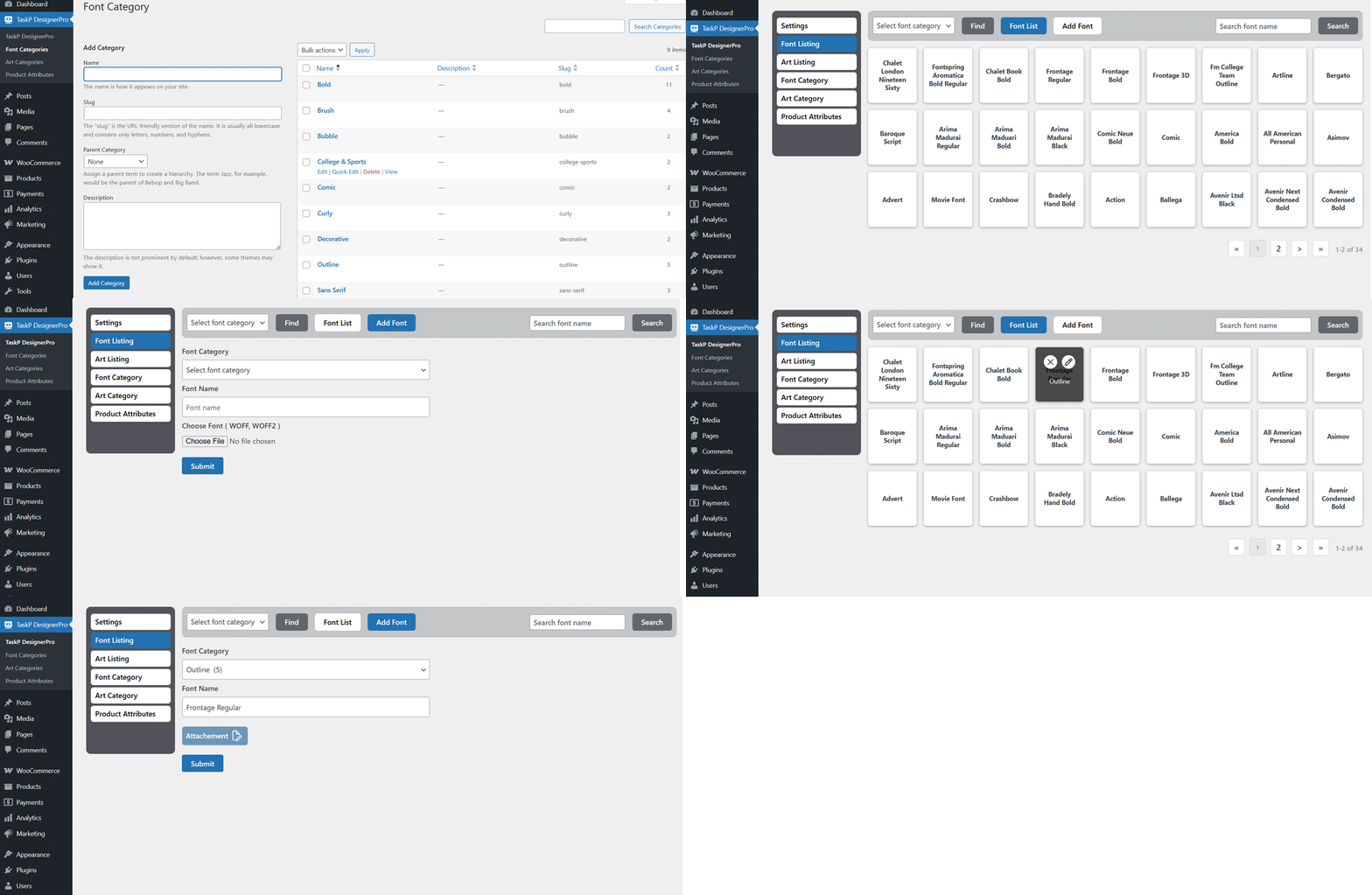
Custom font upload feature for Admin Product Designer.
We’ve made it easy for users to personalize their designs! Admins can upload custom fonts that are immediately available for user selection within the product designer. Here are the key points for your text:
- Font Categories
- Add Font
- Font Listing
- Edit Font
- Delete Font
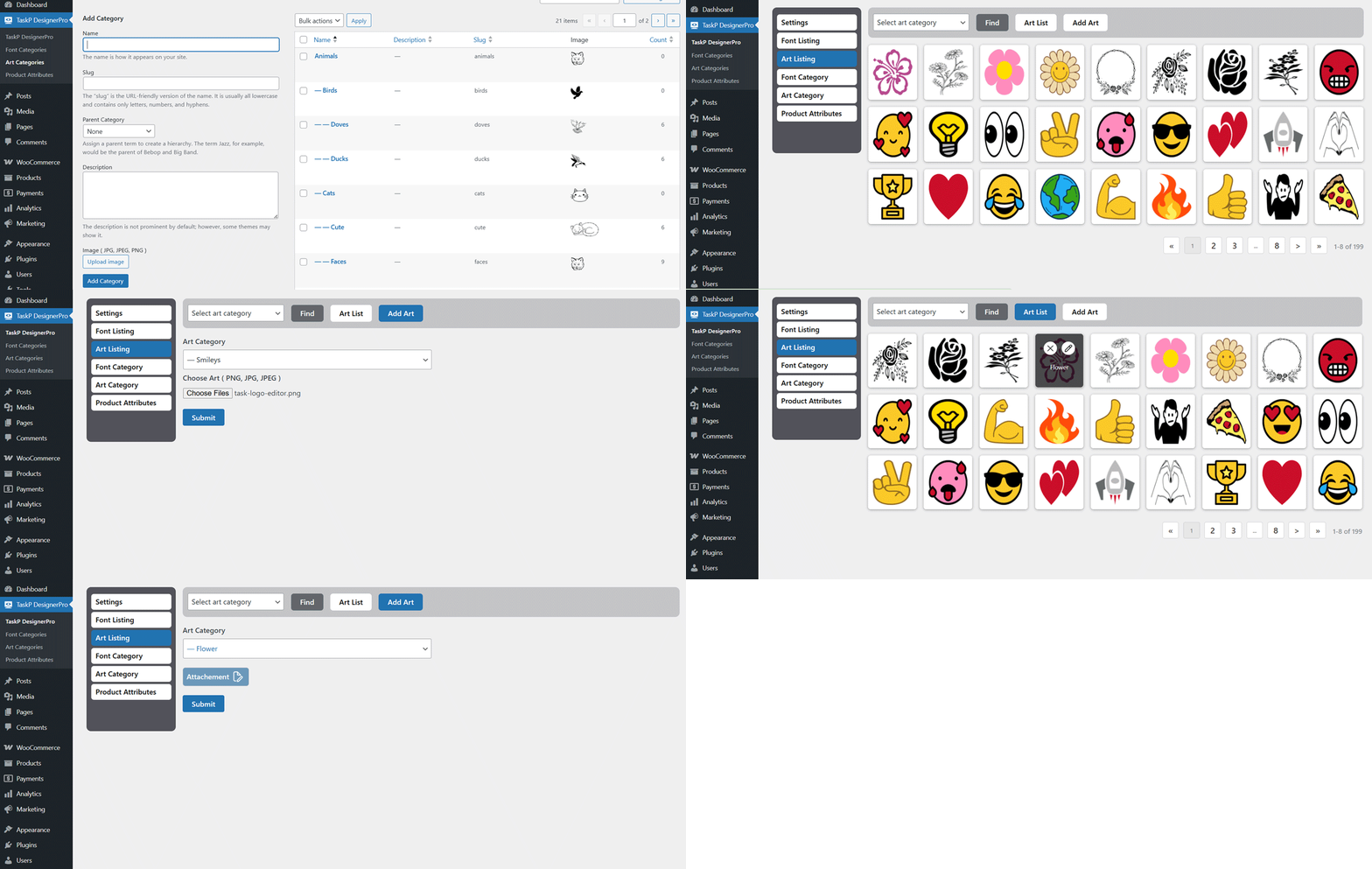
Custom art work upload feature for Admin Product Designer.
We’ve made it easy for users to personalize their designs! Admins can upload custom art works that are immediately available for user selection within the product designer. Here are the key points for your art work:
- Art Categories
- Add Art
- Art Listing
- Edit Art
- Delete Art
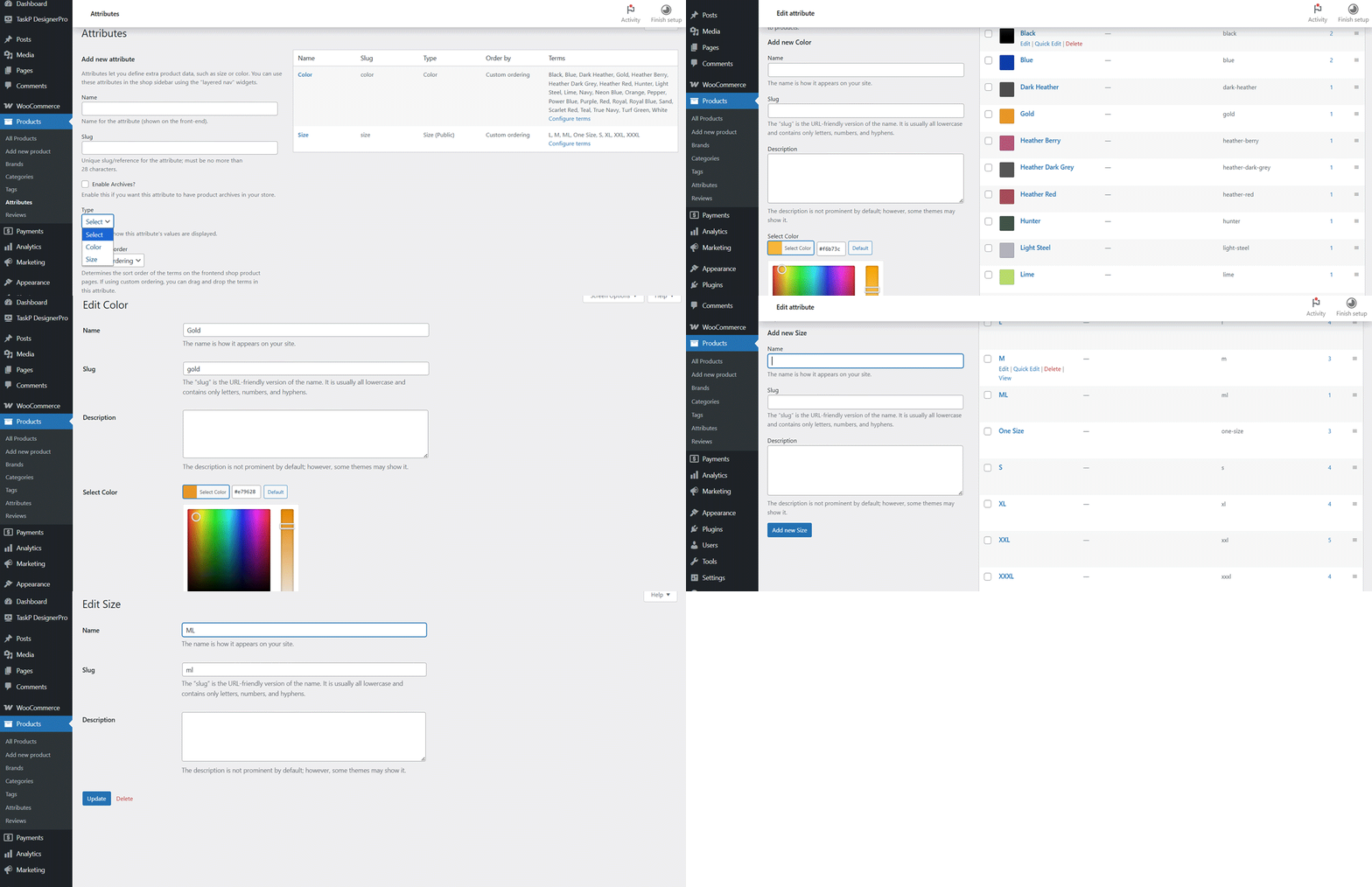
Product attribute type feature for Admin Product Designer.
We’ve made it easy for users to personalize their designs! Admins can select which attribute types are immediately available for user selection. Here are the type for your attribute:
- Color Attribute
- Size Attribute
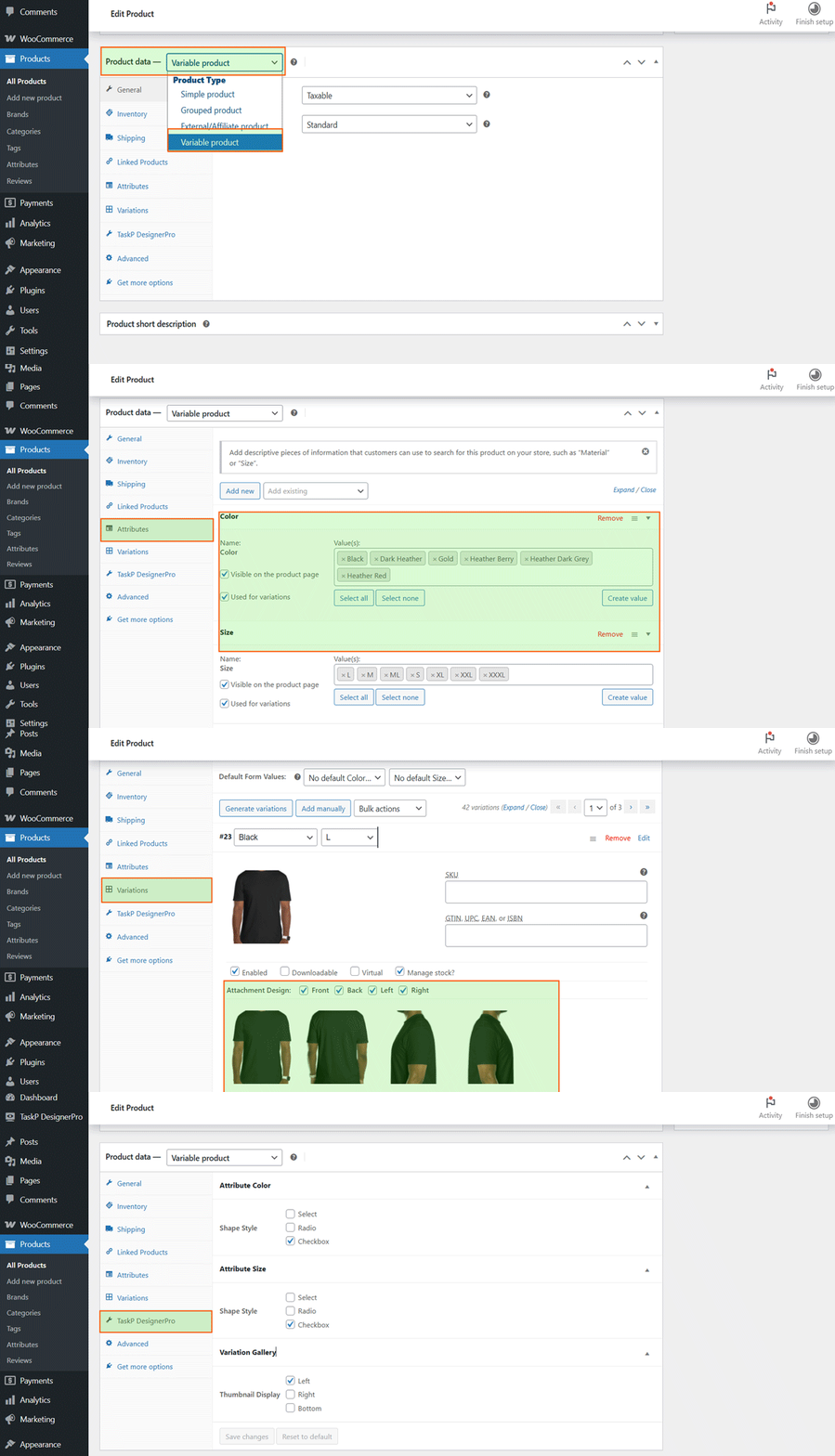
Add Variable Product for Admin Product Designer.
First, define your product attributes (e.g., color, size, material) in the system; once those are set, you can generate the specific variations for the variable product. Here are the key points for your product variation:
- Attachment Design: The attachment design features four options—Front, Back, Left, and Right—allowing you to select the position that best suits your needs. At least one option is required.
- TaskP Designer Pro: These settings control how product variations and the gallery style appear on the front end. If global variation style is disabled.
Key Features are Documented
You’ll love how impressive the UX is—it’s designed to help you understand every feature immediately without needing to read a manual from cover to cover. That said, we know technical details matter, so we’ve added thorough documentation to keep you covered. We’ve made sure this product designer plugin is both easy to use and fully supported. Check our documentation
Friendly and Quickest Support In the Industry
Recognizing that developers constitute the majority of our user base, we understand the urgency of meeting tight client deadlines. To support your workflow, our dedicated support team is ready to provide rapid assistance. While this plugin is designed to work seamlessly with any theme adhering to standard WooCommerce guidelines, we offer proactive support to resolve any compatibility issues; open a ticket from here
Only logged in customers who have purchased this product may leave a review.
-
7 Downloads
-
100+ Active Install
- Version 1.0.5
- Last Updated 1 month ago
- Requires WordPress Version 6.4+
- Requires WooCommerce Version 8.0+
- Requires PHP Version 7.4+
Reviews
There are no reviews yet.